
The first file above has embedded section (AKA chapter) markers. Some modern audio players and software, including popular platforms like iTunes, smartphones, and certain car audio systems, support chapter markers in M4B files (like MP3 but more advanced). These players display chapters as track divisions within the audio file, allowing listeners to jump to specific chapters, much like skipping tracks in a music album.
However, some older or simpler players might not recognize these chapter markers. In these cases, the audiobook will play as a continuous audio file without the ability to jump to specific chapters.
If listeners are playing the M4B audiobook with chapter markers on a phone or computer, the ability to navigate chapters depends on the specific media player application they are using.
Here’s a general overview:
1. Smartphones:
iOS Devices: The Apple ‘Books’ app and some third-party media player apps on iOS support chapter markers in M4B files. Users can easily navigate between chapters using these apps.
Android Devices: There are several media player apps available on Android that support M4B chapter markers, such as Smart Audiobook Player or Listen Audiobook Player. However, the default music player on some Android devices may not support chapter navigation.
2. Computers:
Windows: Applications like iTunes, VLC Media Player, and Foobar2000 support chapter markers in M4B files. Users can navigate through chapters using these players.
MacOS: iTunes (or the Music app in the latest versions of macOS) supports chapter markers and allows easy navigation between them.
Using Quick Time Player, to expand the window like below to access the chapters.
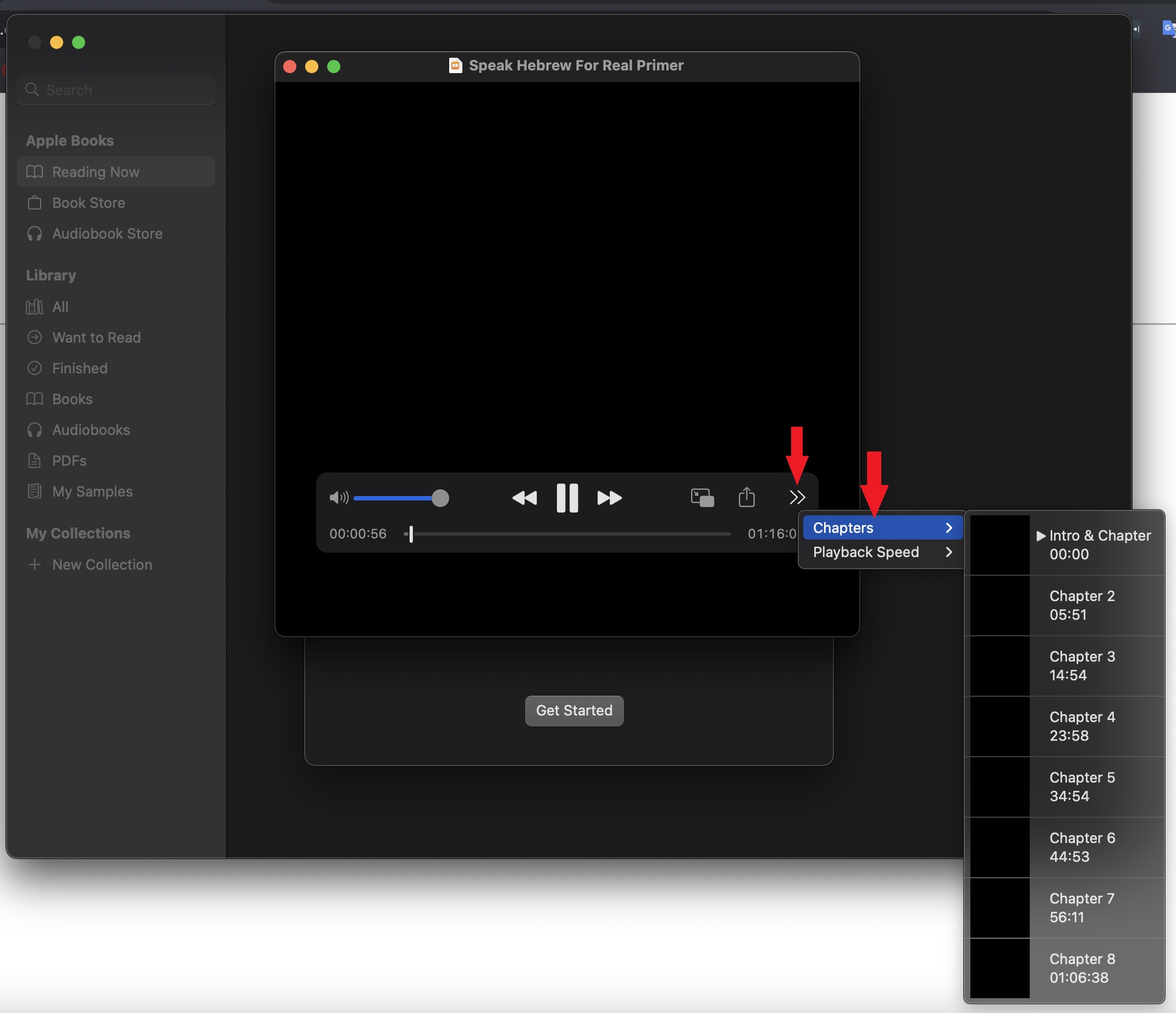
For both smartphones and computers, the key is to use a media player that recognizes and supports M4B chapter markers. Listeners may need to download a specific app if the default player on their device doesn’t support this feature.